
Author
Anju Khanna Saggi
Content & Media Relations
Published: 2026-04-24
Not all CMMS (Computerized Maintenance Management System) platforms are built the same, and in industries like quarrying, aggregates, cement, and ready-mix concrete, there are certain capabilities that carry more weight than others. The CMMS features that matter most for maintenance teams in asset-intensive industries include things such as centralized asset data, work order automation, preventive and predictive scheduling, digital checklists, deviation management, fleet optimization, and mobile-first design with offline capability.
Other differentiating features like RFID-based inspection verification, integrated risk assessment, and IoT telematics that enable condition-based maintenance triggers separate adequate systems from ones that genuinely improve operations. In this article we’ll take a look at what features and functionalities you should look for in your next CMMS.
KEY TAKEAWAYS:
- A CMMS should centralize all asset data, work orders, and compliance records in one platform.
- Work order automation and preventive/predictive scheduling are the core drivers of uptime and productivity.
- Inspections, deviations, incidents, and risk assessment deliver the most value when connected in a single workflow.
- Fleet telematics, RFID verification, and IoT integrations separate basic record-keeping from active operational control.
- Mobile-first design with offline capability is the biggest factor in frontline adoption.
- CMMS Feature Checklist: What to Look For.
Centralized Asset and Maintenance Data
The foundational function of any CMMS is to serve as a single source of truth for maintenance information. A strong CMMS centralizes equipment records, work order histories, inspection logs, spare parts data, and compliance documents into one accessible platform. The key word is accessible - managers need full visibility from the dashboard, but frontline teams also need to be able to pick up, act on, and follow through on work orders directly from the field.
What functionality to look for: real-time data availability and connected systems across mobile and desktop, the ability to attach photos and documents to asset records, and a structure that scales as you add sites and equipment.
Work Order Management and Workflow Automation
Work orders are the operational backbone of a CMMS. Every corrective repair, scheduled service, and inspection task flow through the work order system, so its design has an outsized impact on team productivity. The CMMS functionality that separates adequate systems from excellent ones lies in workflow automation. Being able to flag an issue straight from the field, create a work order on the spot, assign it with the right priority level, and have built-in escalation logic when tasks are overdue. The less friction between seeing a problem and getting it into the system, the faster it gets resolved.
What functionality to look for: automated work order generation from multiple triggers, priority-based routing, overdue escalation rules, and a resource planning view (such as Planning Tool) that makes reassignment across sites and team members fast and frictionless.
Preventive and Predictive Maintenance Scheduling
Moving from reactive to proactive maintenance is the most commonly cited reason for adopting a CMMS, and the scheduling engine is where that shift takes effect. Preventive maintenance means the system generates recurring tasks on fixed intervals – calendar-based or usage-based. Predictive maintenance goes further by using real-time equipment data such as vibration, temperature, and operating hours to trigger maintenance before a failure occurs, rather than on an arbitrary schedule. This requires the CMMS to integrate with IoT sensors and telematics systems.
What functionality to look for: configurable intervals per asset (the whole machine) and component (a part of the asset), support for both calendar-based and meter-based triggers, seasonal schedule adjustments without full rebuilds, and pre-built integrations with equipment manufacturers and IoT platforms.
Digital Checklists, Inspections, and Audits
Inspections and routine checks generate the ground-level data that everything else in a CMMS depends on. If those checks are still happening on paper or in disconnected apps, the data either arrives late, arrives incomplete, or doesn't arrive at all. Modern CMMS functionality should include a configurable checklist builder with control point types like pass/fail, numerical readings, mandatory photo capture, digital signatures, and free-text notes.
What functionality to look for: a flexible template builder that serves everything from pre-shift walkarounds to statutory inspections, integrated deviation reporting within the checklist flow, and the ability to attach photos and contextual data at the point of discovery.
Deviation and Incident Management
Deviations are the early-warning signals that prevent breakdowns, accidents, and compliance failures. A CMMS should allow deviations to be logged from multiple entry points: from within a checklist, from a standalone quick-report, or from an asset's detail page. Each deviation should carry contextual data and automatically notify the responsible person. For more serious events, the system should support structured incident and case management with predefined workflows – investigation, root cause analysis, corrective action, verification – that must be completed before the case can be closed.
What functionality to look for: multiple deviation entry points, automatic notifications and assignment, contextual data capture (asset, location, photos, severity), and structured incident workflows with required steps before closing the task along with a complete audit trail.
Risk Assessment
In heavy industry, a CMMS needs to support the ability to identify hazards, score them by likelihood and consequence using a risk matrix, assign mitigating actions with clear ownership and deadlines, and perform residual assessments to verify that controls are effective. The best systems integrate risk assessment directly into the inspection and checklist workflow rather than treating it as a separate process.
What functionality to look for: built-in risk matrix scoring, risk assessment as a control point within checklists, action assignment with deadlines, residual assessment capability, and connections between risks, deviations, and previous assessments.
RFID and Physical Verification
One underappreciated CMMS feature is the ability to ensure that inspections are performed on the correct equipment, at the correct location. In large plants and multi-site operations, pencil whipping is a common occurrence, where it's possible for checks to be "completed" without the technician physically visiting the asset. RFID technology closes this gap; by attaching tags to equipment, the CMMS system can require the operator to scan an RFID tag with their mobile device before the checklist unlocks, dramatically reducing the risk of shortcuts on safety-critical inspections.
What functionality to look for: RFID tag support tied to specific assets, mandatory scan-to-unlock before checklists can be started, and compatibility with the mobile devices.
Analytics, Reporting, and Data-Driven Decision Making
Data collection only creates value when it leads to insight. The analytics and reporting functionality in a CMMS should help answer strategic questions: which assets cost the most to maintain, where repeated failures are concentrated, whether preventive maintenance intervals are calibrated correctly, and whether overall equipment availability is improving or declining.
What functionality to look for: operational dashboards for daily and weekly decisions, exportable reports for management reviews and regulatory audits, and API connectivity to external BI tools like Tableau or Power BI.
Mobile-First Design and Offline Capability
Perhaps the most important CMMS functionality consideration, is usability for frontline technicians and operators. A CMMS can have every feature on this list and still fail if the mobile experience is clunky, slow, or always requires a stable internet connection.
What functionality to look for: a mobile app with full offline capability and automatic sync, an intuitive interface designed for step-by-step workflows in heavy-process environments, easy on-site condition capture through photos, annotations, and video, minimal steps to complete common tasks like logging a deviation or finishing a checklist, and the ability for operators to complete checks in their native language through features such as, Auto-Translate.
CMMS Feature Checklist: What to Look For
We've put together a simple checklist you can use when evaluating CMMS platforms. Save it, share it with your team, and tick off what matters most for your operation.
Category
What to look for
Centralized Asset Data
Real-time data across mobile and desktop, photo/document attachments, scalable site structure.
Work Order Management
Automated generation from multiple triggers, priority-based routing, overdue escalation, resource planning view.
Preventive & Predictive Scheduling
Configurable intervals per asset and component, calendar and meter-based triggers, IoT/telematics integration.
Digital Checklists & Inspections
Flexible template builder, pass/fail and numerical control points, mandatory photo capture, digital signatures.
Deviation & Incident Management
Multiple entry points, automatic notifications, contextual data capture, structured incident workflows with required steps before closure.
Risk Assessment
Built-in risk matrix, risk assessment within checklists, action assignment with deadlines, residual assessment.
RFID Verification
Scan-to-unlock before checklists open, tags tied to specific assets, mobile device compatibility.
Analytics & Reporting
Operational dashboards, exportable reports, API connectivity to BI tools.
Mobile-First & Offline
Native mobile app, full offline with auto-sync, works with gloves and in bright sunlight, minimal steps for common tasks.
Why Choose CheckProof’s CMMS system?
The CheckProof CMMS is built with frontline usability in mind. Our mobile-first approach helps maintenance teams work smarter, not harder. Whether you manage one site or multiple locations, our platform adapts to your needs. Here’s why we believe CheckProof is the right fit for your organization:
- All the CMMS features you need: From work order automation and preventive scheduling to digital checklists, CheckProof covers every capability outlined in this guide within a single, connected platform.
- Mobile-first design: CheckProof’s mobile CMMS app keeps teams connected, whether they’re underground, in a quarry or at a remote cement plant.
- Integration-ready: Our CMMS software integrates seamlessly with business systems and IoT data streams, bringing everything from fuel levels to runtime into one interface.
- Scalable and user-friendly: Whether you're managing 10 or 10,000 assets, CheckProof's CMMS system scales with your operations. Designed for ease of use by both technicians and supervisors.
- Designed for frontline workers: We know that CMMS apps must be simple, fast, and reliable in the field. That’s why our mobile CMMS is built to work where the work happens.
Explore the full feature list of CheckProof on this page.
FAQ
Want to know what CheckProof can do for you?
CheckProof's easy-to-use app makes it easier to do the right thing at the right time. Discover how you can run world-class maintenance that is both cost-effective and sustainable.
Book a demo

2026-09-29
The AggNexus 2026 Report: Highlights from the Digital Innovation Conference
AggNexus 2026 in Austin was the biggest edition yet. After a year of AI first steps, the focus shifted to how to get people to change. Here are CheckProof’s key takeaways on change management, fast-moving AI, compliance and passing on know-how.

2026-09-24
A Stronger Foundation: Rohrdorfer on Digitizing Safety and Efficiency
Rohrdorfer, a leading construction materials producer in five countries, has used CheckProof for years to streamline safety, maintenance and quality work and to sharpen its customer focus.

2026-07-10
10 Must-Have Features for an Incident Management Platform in the Heavy Industry
When an incident happens, every minute matters. A near miss, equipment damage, or a hydraulic leak can quickly become a bigger risk if the issue is not reported, investigated, and followed up properly. When an incident happens, every minute matters. A near miss that goes unreported, or a fault that isn’t followed up, can quickly become a bigger risk if the issue is not reported.

2026-07-09
The Benefits of a Quarry Crusher Management Software
Paper forms, scattered systems, and knowledge locked in one person’s head all delay the same thing: catching crusher problems before they become breakdowns. This piece covers the four biggest challenges in crusher operations and how CheckProof brings inspections, maintenance, and issue tracking into one place.

2026-07-06
Hillhead 2026 – The CheckProof Report
Hillhead 2026 broke every record with 627 exhibitors and three days packed with electric machinery, connected intelligence, and sustainable innovation. CheckProof was on the ground as an exhibitor and sponsor — here’s what our team took away from the show floor.

2026-06-12
Brice Aggregates: What Operational Excellence Looks Like at a Needingworth Quarry
The inaugural CheckProof Industry Excellence Award winners on going digital from the ground up, and the moment their frontline teams bought in.
2026-05-07
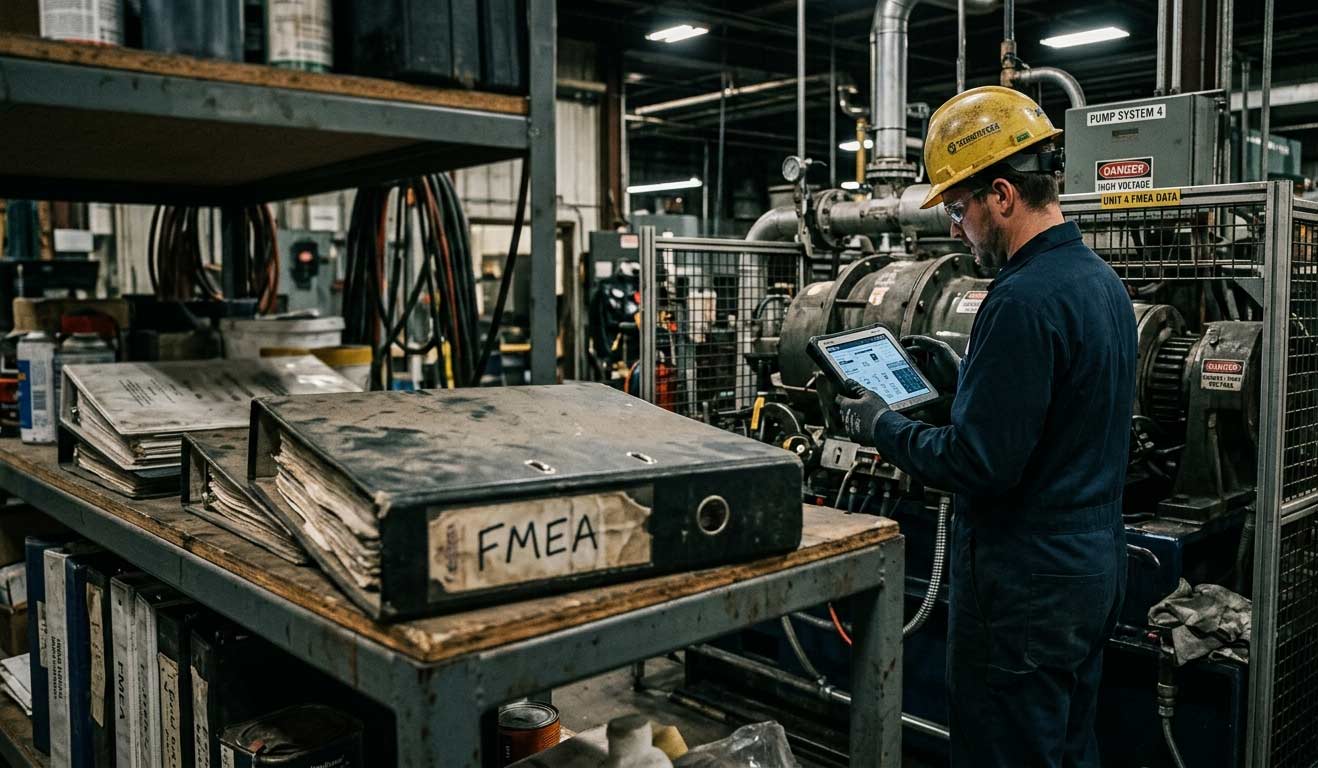
Why Your FMEA Is Sitting in a Binder (And What It Should Be Doing Instead)
Most facilities have an FMEA — but it’s collecting dust in a binder instead of driving decisions on the floor. Here’s how to turn your risk analysis into a living tool that actually protects uptime.

2026-04-24
CMMS Features and Functionality: What to Look for in a Maintenance Management System
Not all CMMS (Computerized Maintenance Management System) platforms are built the same, and in industries like quarrying, aggregates, cement, and ready-mix concrete, there are certain capabilities that carry more weight than others. The CMMS features that matter most for maintenance teams in asset-intensive industries include things such as centralized asset data, work order automation, preventive and predictive scheduling, digital checklists, deviation management, fleet optimization, and mobile-first design with offline capability.

2026-04-24
Cement Plant Inspection Checklist: What to Check, When to Check It, and Why It Fails
Most unplanned shutdowns in a cement plant don’t come out of nowhere. There’s usually a trail beforehand. Maybe a kiln bearing that’s been running 15 degrees above baseline for three weeks, noted by the operator on shift but never formally flagged because it hadn’t tripped an alarm yet. The issue isn’t a lack of warning, its that small deviations are often tolerated until they tip over into something serious.

2026-04-01
How to Choose the Right Work Order App for Your Industry
When something breaks on site, the fix gets most of the attention, but it’s rarely where things go wrong. What’s just as critical is everything around it: who reported it, who picked it up, what got missed between shifts, and how long it sat before anyone acted. In many operations, that whole flow is still held together by paper forms, radio calls, and memory.