CheckProof Releases Construction Materials Industry Report 2026

MSHA Inspection Checklist – How to Prepare for the Next Inspection

Author
Anju Khanna Saggi
Content & Media Relations
Published: 2025-12-09
Last updated: 2026-09-28
Surprise MSHA visits are never “convenient.” But they also shouldn’t trigger panic. If your MSHA inspection checklist is built into daily work instead of rushed together the week before the inspection, an inspector walking onto site is just another part of the day.
This guide walks through how to approach MSHA compliance, providing a practical MSHA inspection checklist for how to prepare for your next inspection.
Key takeaways
- MSHA readiness should be built into daily work rather than handled just before an inspection.
- Working places must be examined each shift, and mobile equipment must be checked before use.
- Inspection forms should reflect the equipment, work areas, and hazards at each mine.
- Hazards must be corrected or isolated quickly, with clear records of the action taken.
- Digital tools help standardize inspections, track findings, and keep records ready for review.
How to Achieve MSHA Compliance
MSHA inspections can feel complex, but understanding the framework can help you navigate them with confidence. While the 30 CFR regulations provide the foundation, many areas are open to interpretation, and inspectors’ approaches can vary depending on their training, district, and experience. Some standards are more straightforward, while others are less clear, which is why each inspection can feel a bit different.
This article breaks down what you need to know to prepare effectively, helping you stay proactive, organized, and ready for whatever an inspection might bring.
In general, an inspection MSHA checklist mainly covers these four pillars:
- Working places must be examined every shift.
- Equipment must be inspected before use, and unsafe defects must be fixed or tagged out.
- Hazards must be corrected quickly and documented accurately.
- Training must be completed for tasks assigned to the miners.
If you build your internal processes around those same pillars, you’re already aligned with the framework MSHA uses themselves, where you have a repeatable way of showing:
- You know the hazards on your site.
- You look for them every shift.
- You fix what you find.
- You can prove it with work order and task history.
MSHA Inspection Checklist - Key Considerations
The table below is an overarching MSHA guidance with key considerations to ensure you are on the right track. Do be aware that these are general guidelines, and not an actual official MSHA checklist. As such, to complement this one, we highly recommend you establish your own MSHA daily site and equipment inspection forms/checklists that are adapted to your site.
Topic
Considerations
Safety programs
- Keep site-specific policies updated to match real conditions.
- Train crews on rules, emergency steps, and daily expectations.
- Reinforce standards through toolbox talks, JSAs, and supervisor checks.
- Document corrective actions when things slip.
Reporting
- Offer anonymous reporting.
- Investigate and close the loop on concerns.
- Track recurring hazards so they don’t become citations.
Internal audits
- Review past MSHA reports for patterns.
- Audit equipment, work areas, and procedures against MSHA requirements.
- Record hazards and fixes.
- When appropriate, conduct audits under legal counsel.
Corrective work
- Assign owners and deadlines.
- Verify completion.
- Keep clean, dated records.
Walkaround
- Plan the inspection routes.
- Escort inspectors at all times.
- Take parallel notes and photos.
- Enforce PPE rules.
- Fix small issues on the spot.
Interviews
- Prepare everyone for interviews.
- Stick to firsthand knowledge - no guessing or gut feeling.
- Supervisors must be especially careful: their words carry weight.
Document management
- Log everything you provide.
- Keep MSHA paperwork separate from company files.
- Only submit what MSHA is entitled to.
- Double-check accuracy before handing anything over.
Inspection Checklists from MSHA Themselves
If you haven’t already seen them, MSHA has already provided a few templates and checklists for companies to use to comply with their workplace exam rules for metal and non-metal mines. Check these templates and checklists by MSHA.
We highly recommend reviewing these, but mainly as a starting point for creating your own MSHA daily inspection forms, equipment inspection forms, and site inspection checklist. In the end, every site is unique, having their own workflows and preferred ways of working. Checklists should be adapted to what works best for your operations.
How to create your own Pre-shift and Daily Inspection Forms
Pre-shift equipment forms document machine safety checks, while an MSHA daily inspection form for working places records hazards in the work area. Build separate forms so each captures the right information.
- Choose a format: Paper and spreadsheet forms are common starting points, but they're easy to lose, hard to search, and slow to compile for audits. A digital inspection app lets operators complete checks from a phone or tablet, attach photos, and automatically time-stamp and store every entry.
- Identify the inspection: Include the examiner’s name, date, and locations examined; equipment forms should also identify the machine, operator, and shift.
- Make entries specific: Provide space to describe conditions affecting safety or health and pinpoint where they were found.
- Track corrections: Include the person responsible for follow-up and the date each condition was corrected, ideally linked directly to the original finding so nothing gets lost between systems.
- Plan record storage: Keep completed forms organised by date and location so they can be retrieved when needed. Digital records make this automatic, with every form searchable and audit-ready without manual filing.
How to create your own MSHA Mobile Equipment Inspection Checklist
MSHA does not provide one checklist for every machine, so each form should reflect the equipment, manufacturer’s instructions, site conditions, and relevant requirements. To create your own MSHA mobile equipment inspection checklist, start with the manufacturer’s manual, applicable MSHA requirements, and previous defects. A loader and a haul truck may share checks, but each needs its own inspection points.
- Choose a format: Spreadsheets can work for a single printable form, but they don't scale well across a fleet, and updates don't reach the field until someone reprints and redistributes them. An inspection app keeps every checklist current across all equipment, with photos, offline checks, repair assignments, and equipment history built in. Tools like an AI Checklist Builder can also generate a first draft from the manufacturer's manual or existing documentation, cutting the setup work down to a quick review rather than building each checklist from scratch.
- Arrange the checks: Follow a practical walkaround route, separating engine-off checks from running tests described in the manual.
- Write clear questions: Specify what to inspect and what counts as acceptable, with pass, fail, and not applicable options.
- Capture useful details: Include the equipment ID, operator, date, shift, and space for defect descriptions and photos.
- Build in follow-up: Define who receives defect reports, when equipment must be removed from service, and how repairs are confirmed, ideally routed automatically so nothing waits on someone remembering to forward a form.
- Test before rollout: Have operators try the checklist on the machine, remove duplication, and revise unclear or missing checks.
How to prepare your site before the inspector arrives
Preparing for an MSHA inspection should be an ongoing process rather than a rush to fix the site when an inspector appears. The strongest approach is to build inspection readiness into everyday operations through consistent routines, clear follow-up, and reliable documentation.
Make inspections part of daily work
Use regular workplace examinations, equipment checks, and internal audits to find problems early. Set clear inspection schedules, define who is responsible, and make sure every shift follows the same process. When inspections become routine, unsafe conditions are less likely to sit unnoticed until an MSHA visit.
Act on hazards early
Finding a hazard is only the first step. Assign responsibility, set a deadline, and verify that the issue has been corrected. Review recurring findings across equipment, shifts, and work areas to identify wider problems with training, maintenance, or procedures before they result in citations or incidents.
Streamline checks and inspections with Digital Tools
The best type of checks and inspections is the one that is ingrained and integrated into the daily workflow and scheduled work processes. To achieve this, you need to create a foundation of strong habits as well as keep a low threshold to ensure it gets done.
A low-friction process is what keeps workplace exams, pre-shifts, walkarounds, and all types of daily site and equipment inspections happening the way they should. Digital tools makes this easier in a few key ways:
- Scan-to-start checklists that launch the right inspection instantly (RFID tags can ensure this).
- Clear, step-by-step prompts that keep checks consistent across shifts.
- Enable photos and annotations to document issues without back-and-forth.
- Automatic time, user, and location logging for clean audit trails.
- Instant issue reporting that flags deviations before they turn into downtime.
- Standardized templates that align inspections across sites, crews, and contractors.
- Centralized history and reports that replace paper stacks and scattered spreadsheets.
FAQ - MSHA Inspection Checklist
Want to know what CheckProof can do for you?
CheckProof's easy-to-use app makes it easier to do the right thing at the right time. Discover how you can run world-class maintenance that is both cost-effective and sustainable.
Book a demo

2026-09-29
The AggNexus 2026 Report: Highlights from the Digital Innovation Conference
AggNexus 2026 in Austin was the biggest edition yet. After a year of AI first steps, the focus shifted to how to get people to change. Here are CheckProof’s key takeaways on change management, fast-moving AI, compliance and passing on know-how.

2026-09-24
A Stronger Foundation: Rohrdorfer on Digitizing Safety and Efficiency
Rohrdorfer, a leading construction materials producer in five countries, has used CheckProof for years to streamline safety, maintenance and quality work and to sharpen its customer focus.

2026-07-10
10 Must-Have Features for an Incident Management Platform in the Heavy Industry
When an incident happens, every minute matters. A near miss, equipment damage, or a hydraulic leak can quickly become a bigger risk if the issue is not reported, investigated, and followed up properly. When an incident happens, every minute matters. A near miss that goes unreported, or a fault that isn’t followed up, can quickly become a bigger risk if the issue is not reported.

2026-07-09
The Benefits of a Quarry Crusher Management Software
Paper forms, scattered systems, and knowledge locked in one person’s head all delay the same thing: catching crusher problems before they become breakdowns. This piece covers the four biggest challenges in crusher operations and how CheckProof brings inspections, maintenance, and issue tracking into one place.

2026-07-06
Hillhead 2026 – The CheckProof Report
Hillhead 2026 broke every record with 627 exhibitors and three days packed with electric machinery, connected intelligence, and sustainable innovation. CheckProof was on the ground as an exhibitor and sponsor — here’s what our team took away from the show floor.

2026-06-12
Brice Aggregates: What Operational Excellence Looks Like at a Needingworth Quarry
The inaugural CheckProof Industry Excellence Award winners on going digital from the ground up, and the moment their frontline teams bought in.
2026-05-07
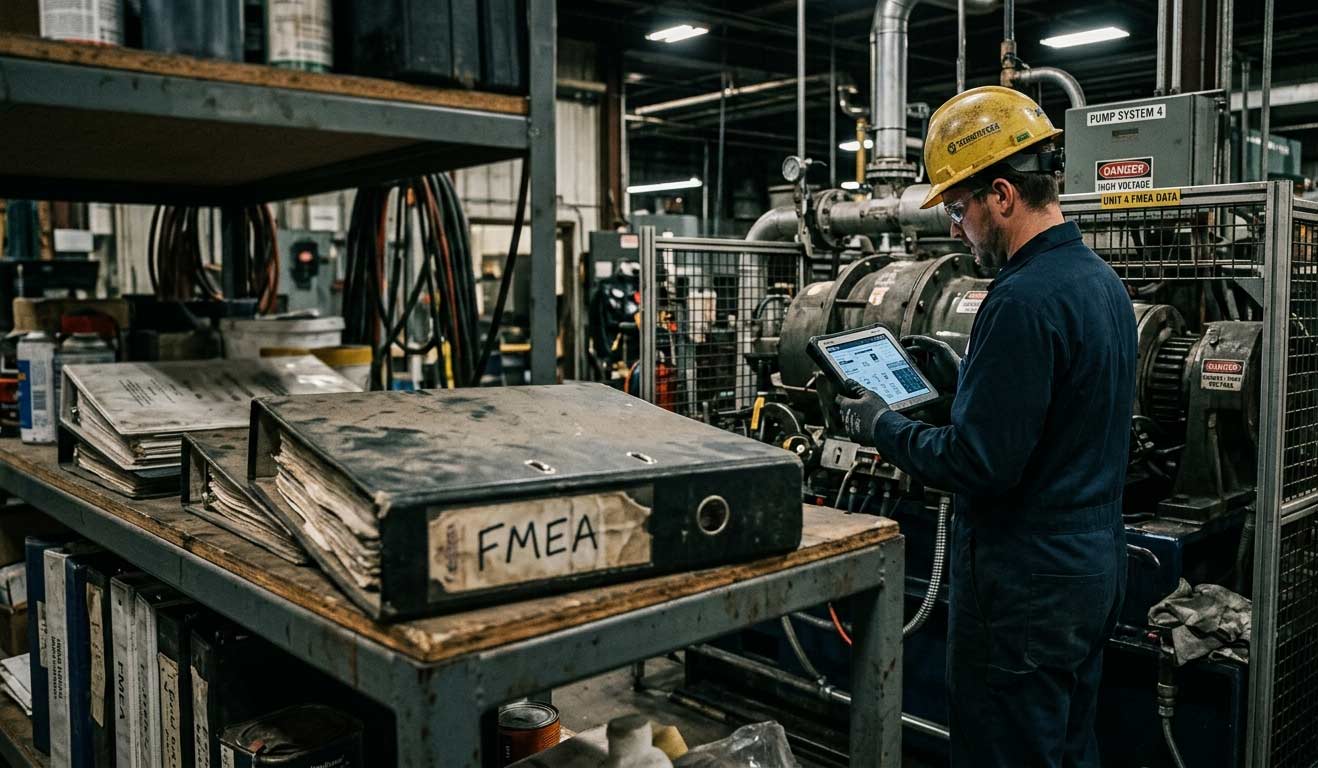
Why Your FMEA Is Sitting in a Binder (And What It Should Be Doing Instead)
Most facilities have an FMEA — but it’s collecting dust in a binder instead of driving decisions on the floor. Here’s how to turn your risk analysis into a living tool that actually protects uptime.

2026-04-24
CMMS Features and Functionality: What to Look for in a Maintenance Management System
Not all CMMS (Computerized Maintenance Management System) platforms are built the same, and in industries like quarrying, aggregates, cement, and ready-mix concrete, there are certain capabilities that carry more weight than others. The CMMS features that matter most for maintenance teams in asset-intensive industries include things such as centralized asset data, work order automation, preventive and predictive scheduling, digital checklists, deviation management, fleet optimization, and mobile-first design with offline capability.

2026-04-24
Cement Plant Inspection Checklist: What to Check, When to Check It, and Why It Fails
Most unplanned shutdowns in a cement plant don’t come out of nowhere. There’s usually a trail beforehand. Maybe a kiln bearing that’s been running 15 degrees above baseline for three weeks, noted by the operator on shift but never formally flagged because it hadn’t tripped an alarm yet. The issue isn’t a lack of warning, its that small deviations are often tolerated until they tip over into something serious.

2026-04-01
How to Choose the Right Work Order App for Your Industry
When something breaks on site, the fix gets most of the attention, but it’s rarely where things go wrong. What’s just as critical is everything around it: who reported it, who picked it up, what got missed between shifts, and how long it sat before anyone acted. In many operations, that whole flow is still held together by paper forms, radio calls, and memory.